
29/03/2026
Windows XP's Issues
This is a rewrite of a very old post where I tried to make sense of a fatal bug. But there are many more issues I've come across since then.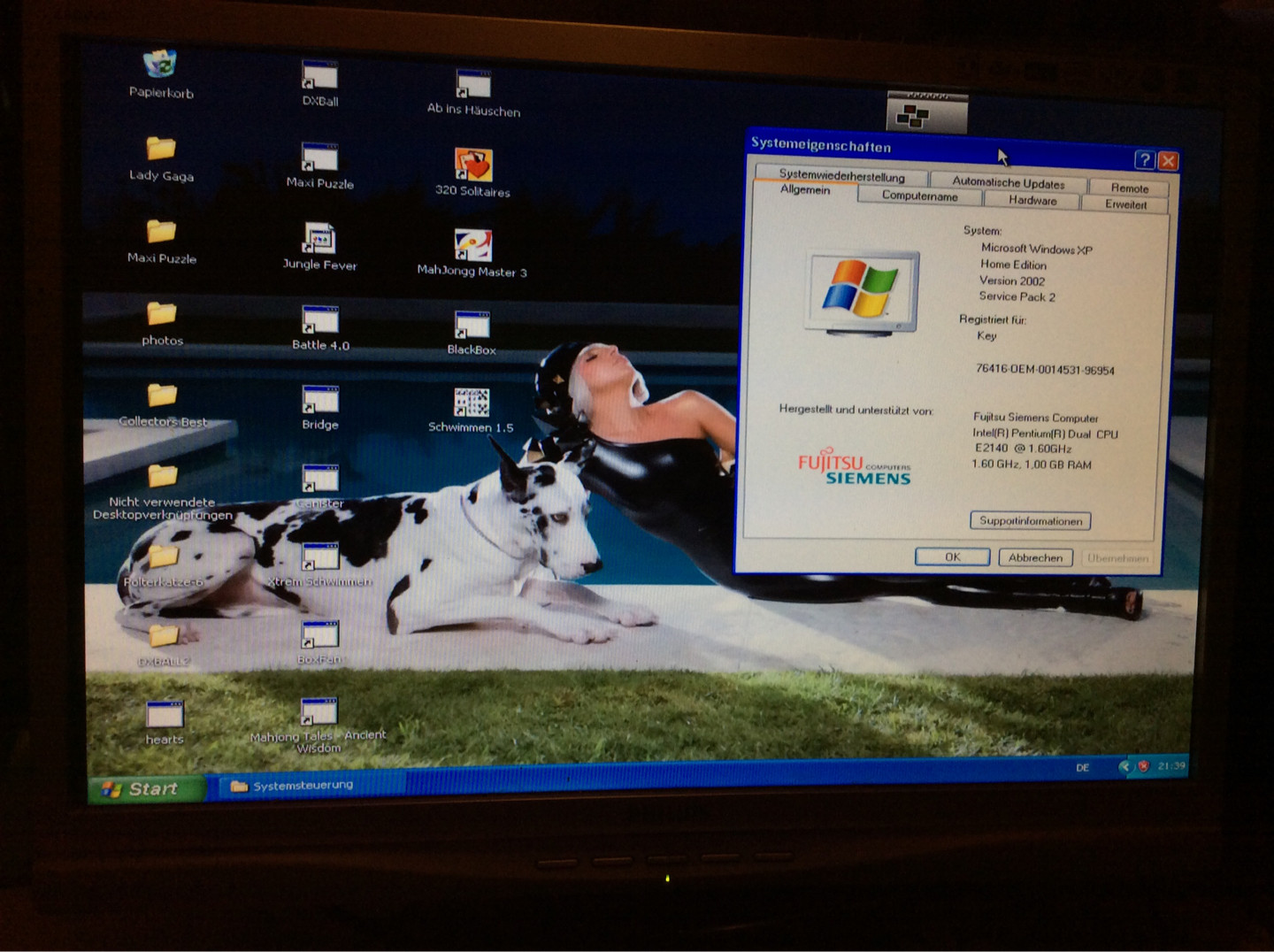
Back in 2014, I still used my parents' Fujitsu "T-Bird" to play some old games. I inserted a disc containing a game distributed by DATABECKER–Germans may remember this distributor quite fondly and the game in question was "Karnickejagd"–and right after executing it, the computer bluescreened, restarted itself, and Windows XP suddenly demanded its own activation. As this happened on 6 August, the extended support already had ended roughly three months prior. It wouldn't have made a difference, however, since this version's support already ended in August, 2005, plus this machine is so old that it doesn't even have an ethernet port.
As I was 15 at that time, I didn't know what to do and since one of my relatives kept the original recovery disc, I ordered a different one from ebay. Not only did this one ship with SP1 but with the Turkish language pack, yet I still managed to rescue some data after installing it. The machine ended up being stored inappropriately until I decided to give it another try on the exact same date ten years later. A cracking tool that figured out the Product Activation algorithm was released just a year prior to my second attempt, so I gave it a shot. I did some test with two virtual machines and both were successful.
This is where I ran into the first issue not
even the authors of this crack may have been
unaware of: The original Windows XP used a
different algorithm prior to the release of
SP1. The detected product key of my original
install was slighly longer and included an extra
-XX at the end of the Installation
ID, which the crack couldn't deal with. This is
where my Turkish install came in handy. Since
the trial period hadn't ended for some reason,
I was able to crack it within five minutes.
I finally had access to a working system but
the language barrier made me look for an
alternative route.
I grabbed two German installation ISO's from
the Internet Archive and burned them each on
a bootable CD-RW I still had left in my
drawer after Ventoy failed with a BSOD. As
even the bootable CD's were unable to boot, I
restarted my Turkish install and executed
setup from there. Selecting
Windows Setup provided me two
options, namely an installation and a repair
environment relying on CMD. Because I'm largely
unfamiliar with Windows' commands, I chose the
install option, where I was greeted by another
repair option that spefically searches for older
versions of XP. It detected my German install
and did not only repair all system files but
upgraded the whole system to SP2.
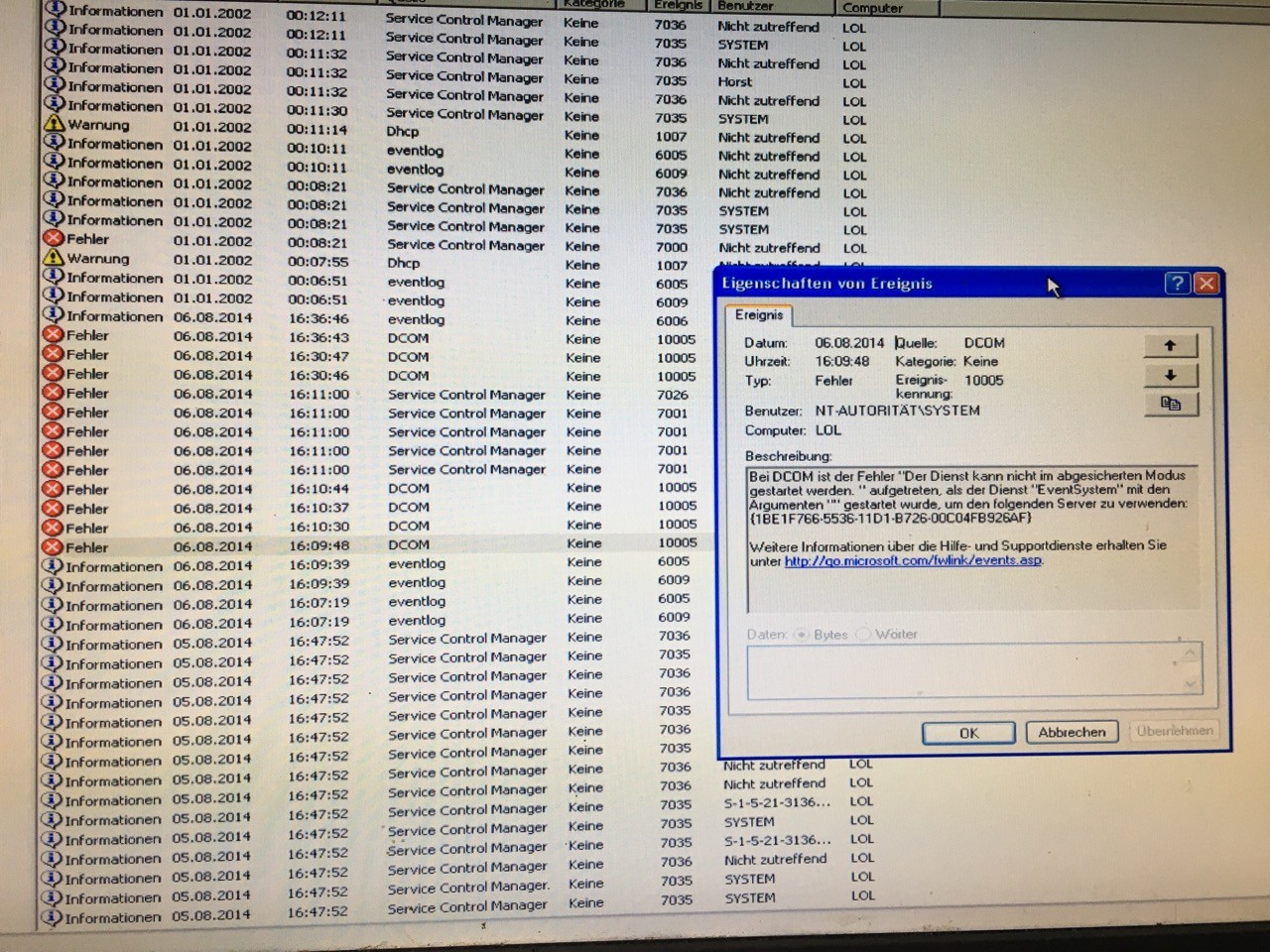
After installing some missing drivers that briefly forced me to use a faulty PS/2 mouse, I finally could access the logs. This is where things got quite juicy because the BSOD in 2014 did NOT get logged at all. My initial attempts at recovering the system via Safe Mode did get recorded, though. I digged through every section and came across an error where a COM Event System failed, followed by another error in which Volume Shadow Copy Service was involved. This would hint at a potential hardware failure. In-between all the various errors originating from Service Control Manager, only two explicitly list “a non-working device”.
Scrolling all the way back to May, there are 14
identical error messages, all listing the same
“bad block” for no longer than a little over a
minute and only on 4 May – no similar error
messages prior to nor after this. All logs point
towards the HDD and it actually would seem
plausible, given its age at that time.
Unfortunately, it passed all tests conducted
by CHKDSK only a few hours prior to
the repair/upgrade via the copied SP2 IMG. No
found000 was created, no errors
were spit out during the upgrade and no more
“bad block” messages or any other errors hinting
at the nearing failure of the HDD popped up.
The HDD, which now is 25 years old and still
working wonderfully, also didn't suffer from
any physical damage over all those years.
Some other "bad block" error messages ironically pointed at the replacement CD-ROM drive of our Fujitsu. After testing it again on this drive's original machine, a Fujitsu Cordant that struggled with SP2 due to its even older age, it also was ruled out as the the ultimate culprit. It didn't load a single CD I inserted, not even the game that triggered the fatal crash.
Speaking of the game, it works without any issues on virtual machines and the rescued install. It also worked flawlessly before this XP install decided to off itself. This only left Windows XP itself as the main cause. And there are plenty of more incidents across various successors that make this much more likely.
Encountering very similar issues on Windows 10
My daily driver, a Medion Akoya "Multimedia PC"
from 2012, dual-boots Windows 10 and Arch Linux.
When I first tried EndeavourOS in 2021, its EFI
partition became too small to install any more
Windows 10 updates, effectively freezing it.
I switched to Arch via Archcraft shortly
afterwards and only keep Windows 10 around to
use Lightroom and some other incompatible
software. This is when Windows 10 started to
complain about various hardware issues and
some only got mitigated after I upgraded this
machine's RAM from less than 4 to 16 GB. It
continues to complain about any storage device,
from my internal HDD to all of my USB drives
and even my external HDD where it automatically
installed some of its own system files, and
still demands checks every time I boot Windows
10. None of those issues occur when I boot
Arch and all drives are in perfect condition,
according to smartctl. Even
CHKDSK routinely fails to detect
anything.
And on Windows 7 SP1 (32bit)
Another dual-boot machine, the same kind of issues that only can be attributed to Windows itself. Unlike the previous machines, this Acer Aspire does suffer from hard bad blocks, yet its issues are restricted to memory. The RAM itself is fine, however Windows Explorer always prevents the system from shutting down. The hard bad blocks are located on Acer's reserved partition for its own recovery tool, not even touching both Windows partitions.
But NOT on Windows Vista (32bit)
Say what you want about Windows Vista, it really was just as bad as the original Windows XP, though unlike the latter, my unpatched Vista never ran into fatal bugs. It simply ran horribly slow on hardware that met the recommended requirements. It still runs a little sluggish on its final Service Pack, however it never crashed on its own like Windows XP did and still does.
Back to Windows XP
My old OEM install now runs on SP2. Upgrading it further would prevent me from ever putting it back into our old "T-Bird", as SP3 demands the same hardware requirements as Windows Vista. What always confused me is how the most vocal people at that time never noticed how the increased hardware requirements they critcized Vista for later also were shipped to Windows XP's final Service Pack a year after Vista's initial release and one year before Windows 7 hit the shelves. It really may have been due to Microsoft never having updated its spec sheets properly; they did note that SP3 requires twice the amount of free space compared to SP1 but kept the recommended RAM at 128 MB. Running my SP2 install on my Vista machine and letting it idle already claims between 256 and 512 MB, nearly double than the original requirements.
The exact same underrated RAM requirements also affect every successor. Windows Vista de facto requires 1 GB of RAM to run smootly, Windows 7 64bit even does poorly on 4 GB. Windows 10 struggles massively on anything below 8 GB, so it's fair to assume that Windows 11 demands at least (!) 16 GB to run the bare minimum. We also can go back to the 9x era; every major 9x version doubled in terms of hardware requirements with each new release but unlike on NT-based Windows versions it was pathetically easy to trigger very funny bugs and exploit them to spread malware.
Epilogue
This OEM install doesn't like NVIDIA at all. I can understand that; this particular graphics card borked my Vista install for a long time, as well. But those bugs cause a handful of games with certain 3D graphics to instantly BSOD. I defragged the hard disk which was horribly fragmented. After all those years I still hate the "Luna" theme but switching to to the legacy theme just feels wrong. It's giving me the illusion of running a heavier and buggier Windows 2000 which I last used in my school library back in 2013. Those ancient computers with their fat CRT monitors STILL were snappier than the new XP machines we used in IT class.
The more I use Windows XP, the less I take those XP nostalgia posts and articles seriously. It was and still is one hell of a bug fest that gave us some famous malware such as the Blaster worm, the Sony BMG copy protection rootkit and SpySheriff. And it paved the path to you being unable to use Windows 11 without an online account with the introduction of product activation.